Title Tags and Meta Descriptions: How to Optimize Them for SEO

If you’ve ever searched something on Google and clicked one result over another just because the wording sounded better — you’ve already experienced the power of a good title tag and meta description. They’re small pieces of code, but they decide whether someone clicks through to your website or scrolls past it to a competitor.
For anyone running a website — whether you’re a local business owner in Trivandrum or managing a growing blog — getting title tags and meta descriptions right is one of the fastest ways to improve click-through rate without touching your rankings at all. And with search engines evolving to include AI Overviews and answer engines like ChatGPT and Perplexity pulling information directly from web pages, these elements matter more than ever — not just for SEO, but for AEO (Answer Engine Optimization) and GEO (Generative Engine Optimization) too.
In our earlier posts, we covered the basics — What Is SEO, How Does SEO Work, Keyword Research, and On-Page SEO. Title tags and meta descriptions sit right at the heart of on-page SEO, so if you haven’t gone through those yet, this post will make a lot more sense once you do. Consider this the natural next step.
What Exactly Is a Title Tag?
A title tag is the clickable headline that shows up in search results — the blue text you see on Google. In HTML, it looks like this:
<title>Your Page Title Here</title>
It sits inside the <head> section of your webpage and tells both search engines and users what the page is about. It’s also what shows up as the tab title in your browser and often what gets pulled when someone shares your page link on social media.
Google uses the title tag as a strong ranking signal because it’s one of the clearest indicators of relevance. If someone searches “best interior designers near me” and your title tag says exactly that — or something close to it — Google is far more likely to consider your page a good match.
What Is a Meta Description?
A meta description is the short snippet of text that appears below the title tag in search results. It doesn’t directly influence rankings the way title tags do, but it has a huge effect on click-through rate. Think of it as your elevator pitch — you’ve got about two sentences to convince someone that your page has exactly what they’re looking for.
<meta name="description" content="Your compelling summary here">
Google doesn’t always use the meta description you write. Sometimes it rewrites the snippet based on the user’s search query, pulling text from elsewhere on the page instead. This has become more common in recent years, but that doesn’t mean writing a strong meta description is pointless — a well-written one still gets used a large percentage of the time, and it forces you to clarify what the page is really about, which helps with content structure overall.
Why These Two Elements Matter So Much
Search engines are getting smarter, but they still rely on structured signals to understand context quickly. Title tags and meta descriptions are the first things a crawler reads, and they’re also the first thing a human reads in the search results. Get them wrong, and you lose people before they even land on your page — no matter how good the content is.
This becomes even more important now that generative engines are summarizing content directly in search results. When Google’s AI Overviews or an AI assistant scans a page to generate an answer, clean, well-labeled metadata makes it far easier for that system to lift the right information and represent your page accurately. A messy or missing title tag doesn’t just hurt your SERP click-through — it can mean your page gets skipped entirely when an AI system is deciding which sources to cite.
Title Tag Best Practices
1. Keep it within pixel width, not just character count.
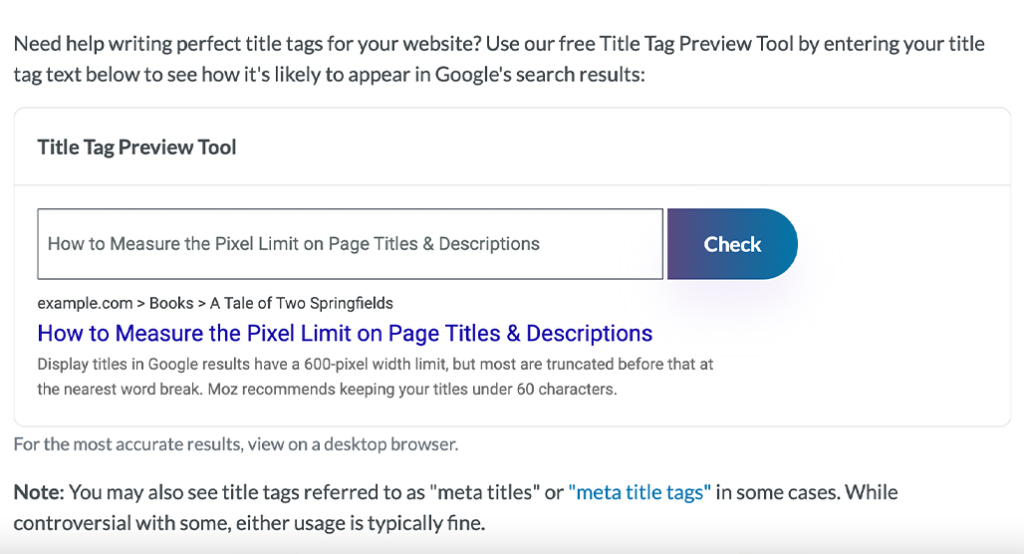
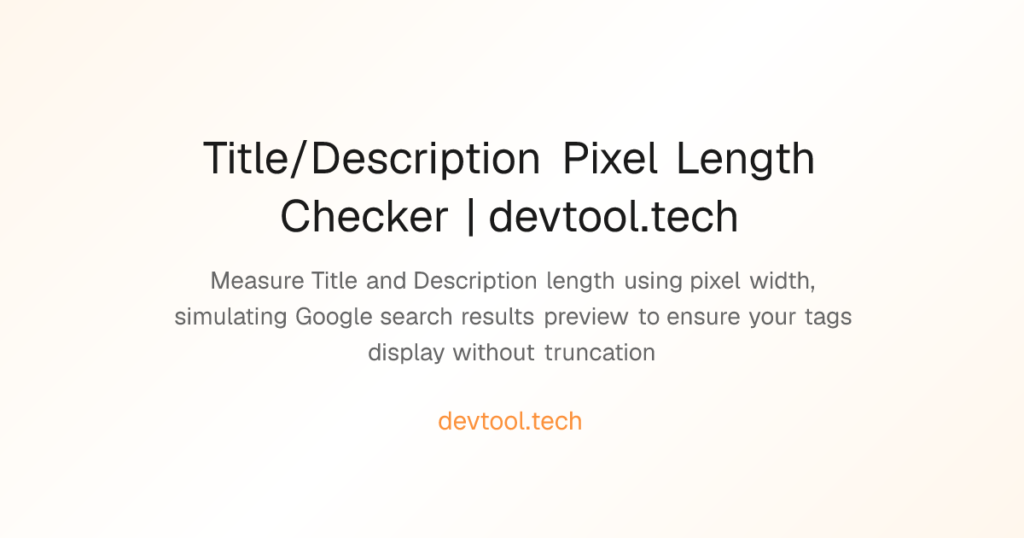
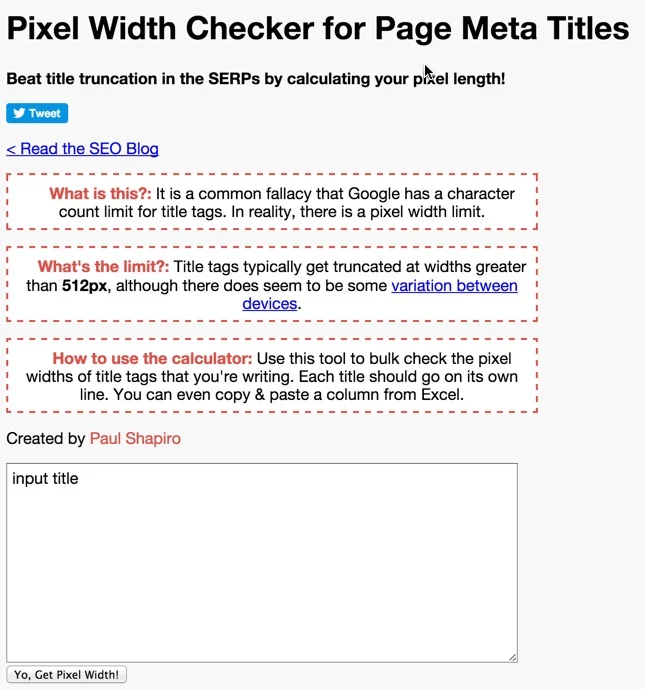
Google doesn’t cut off titles based on a fixed number of characters — it’s based on pixel width, since letters like “i” and “w” take up different space. As a safe rule of thumb, aim for around 50–60 characters, or roughly 580 pixels. Anything longer usually gets truncated with an ellipsis, which looks unfinished and can reduce clicks. There are free pixel-width checker tools online that let you preview exactly how your title will render before you publish.
2. Put your primary keyword near the front.
If you’re targeting something like SEO service in Trivandrum, don’t bury it at the end of a long sentence. Search engines still give slightly more weight to keywords that appear earlier in the tag, and users scanning results tend to notice the first few words first.
3. Make every title unique.
Duplicate title tags across multiple pages confuse search engines about which page to rank for a given query, and Google may end up choosing the wrong one — or none at all. If you run an ecommerce or service-based site with dozens of pages, this is one of the most common technical SEO mistakes.
4. Write for humans first, algorithms second.
A title stuffed with keywords (“SEO Service Trivandrum | Best SEO Company Trivandrum | Cheap SEO Trivandrum”) looks spammy and rarely performs well, even if it technically includes the right terms. Something like “SEO Service in Trivandrum That Actually Grows Your Rankings” reads naturally and still carries the keyword clearly.
5. Include your brand name where it makes sense.
For branded searches or trust-building, adding your business name at the end of the title (after a pipe or dash) can improve recognition, especially for repeat visitors or local searches.
Meta Description Best Practices
1. Stay within 150–160 characters.
Beyond this, Google typically truncates the description. Keep your key message in the first sentence just in case.
2. Include a clear value proposition.
Instead of just describing what the page is about, tell the searcher what they’ll get. For example, a page targeting freelance SEO service in Trivandrum might use something like: “Get affordable, results-driven SEO from a Trivandrum-based freelancer who treats your website like their own business.”
3. Add a soft call to action.
Phrases like “Book a free consultation,” “See our packages,” or “Get your free audit” nudge the reader toward clicking, without sounding pushy.
4. Match search intent.
If the page is informational, write like you’re answering a question. If it’s a service or product page, write like you’re solving a problem. Mismatched intent is one of the quieter reasons pages underperform even when they rank well.
5. Avoid duplicate meta descriptions too.
Just like title tags, every important page should have its own description. Templates that auto-generate the same description across product pages tend to hurt CTR at scale.
How This Connects to AEO and GEO
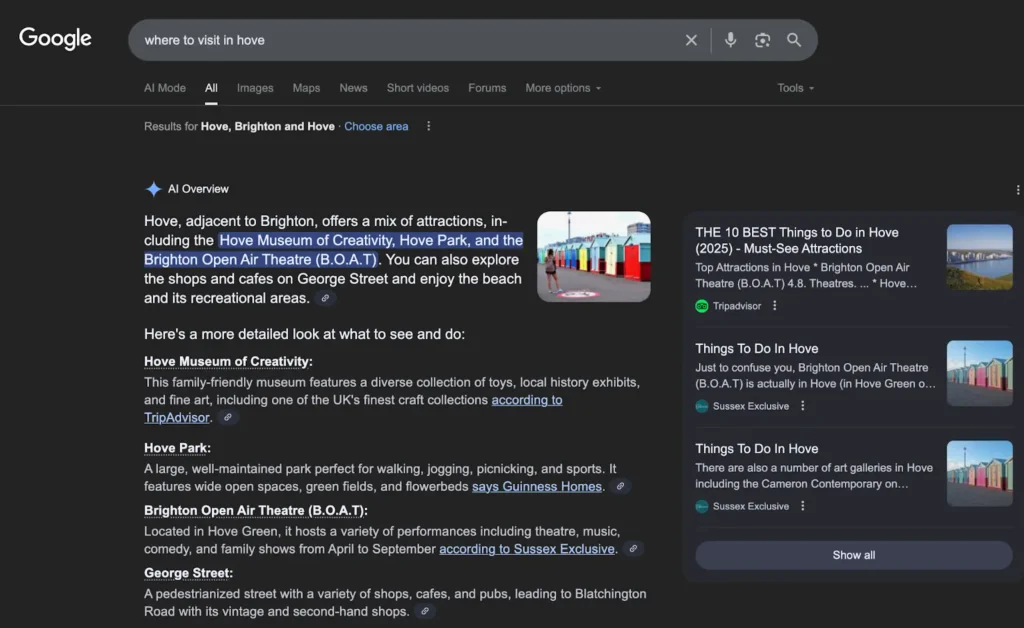
Answer Engine Optimization and Generative Engine Optimization are newer terms, but they build directly on solid on-page SEO fundamentals — including title tags and meta descriptions.
For AEO, the goal is to get your content picked up and read aloud or displayed directly by voice assistants and answer boxes. A title tag that clearly states what question the page answers (e.g., “How to Reduce Home Renovation Costs in Trivandrum”) gives these systems an easy signal to work with.
For GEO, the focus shifts to how large language models and AI search tools summarize and cite web content. These systems often use title tags and meta descriptions as quick-reference summaries when deciding whether a page is a credible, relevant source to pull from. Clear, factual, well-structured metadata — free of fluff or keyword stuffing — increases the odds that your page gets cited rather than skipped.
In practice, this means: write your title tags and meta descriptions the same way you’d explain the page to a smart friend in one sentence. If it’s clear to a human, it tends to be clear to an AI system too.
Semantic and Related Keywords to Keep in Mind
When writing title tags and meta descriptions, it helps to naturally weave in semantically related terms — things like meta tags, SERP snippet, click-through rate (CTR), schema markup, structured data, search engine results page, on-page optimization, and featured snippets. These terms reinforce topical relevance without feeling forced, and they help search engines connect your page to the broader theme it belongs to.
A Quick Example
Let’s say you’re optimizing a service page for an SEO service in Trivandrum.
Weak title tag: “Home | Digital Marketing Company”
Better title tag: “SEO Service in Trivandrum | Get More Leads, Ranked Higher”
Weak meta description: “We offer SEO, digital marketing, and more services.”
Better meta description: “Looking for a reliable SEO service in Trivandrum? We help local businesses rank higher, get found faster, and turn searches into customers.”
The difference isn’t subtle — the second version tells the searcher exactly what they’ll get and why they should click.
Common Mistakes to Avoid
- Leaving the default CMS-generated title tag unedited (a common issue on WordPress and Shopify sites)
- Writing titles so long they get cut off mid-sentence
- Using the same meta description across an entire category of pages
- Overloading the title with keywords instead of clarity
- Forgetting mobile users — snippets can render slightly shorter on mobile search results
Bringing It All Together
Title tags and meta descriptions might seem like small technical details, but they sit at the intersection of everything we’ve covered so far — how SEO works, keyword research, and on-page SEO as a whole. Get the keyword research right, understand how search engines evaluate relevance, and then translate that understanding into a title and description that a real person would actually want to click.
If you’re a business owner in Kerala trying to figure this out on your own, or you’re comparing a freelance SEO service in Trivandrum against a larger agency, this is exactly the kind of detail that separates a website that just exists online from one that consistently brings in customers. Whether you need AEO service, GEO service, or a full SEO service in Trivandrum built from the ground up, getting your title tags and meta descriptions right is the fastest place to start seeing results.